
About Frame
Frame
One building record. From construction through operation.
Construction knowledge should stay with the building. Frame brings the drawings, photos, equipment details and manufacturer requirements into one searchable workspace—so closeout becomes the starting point for ongoing facility management, not the end of the record.
Explore plans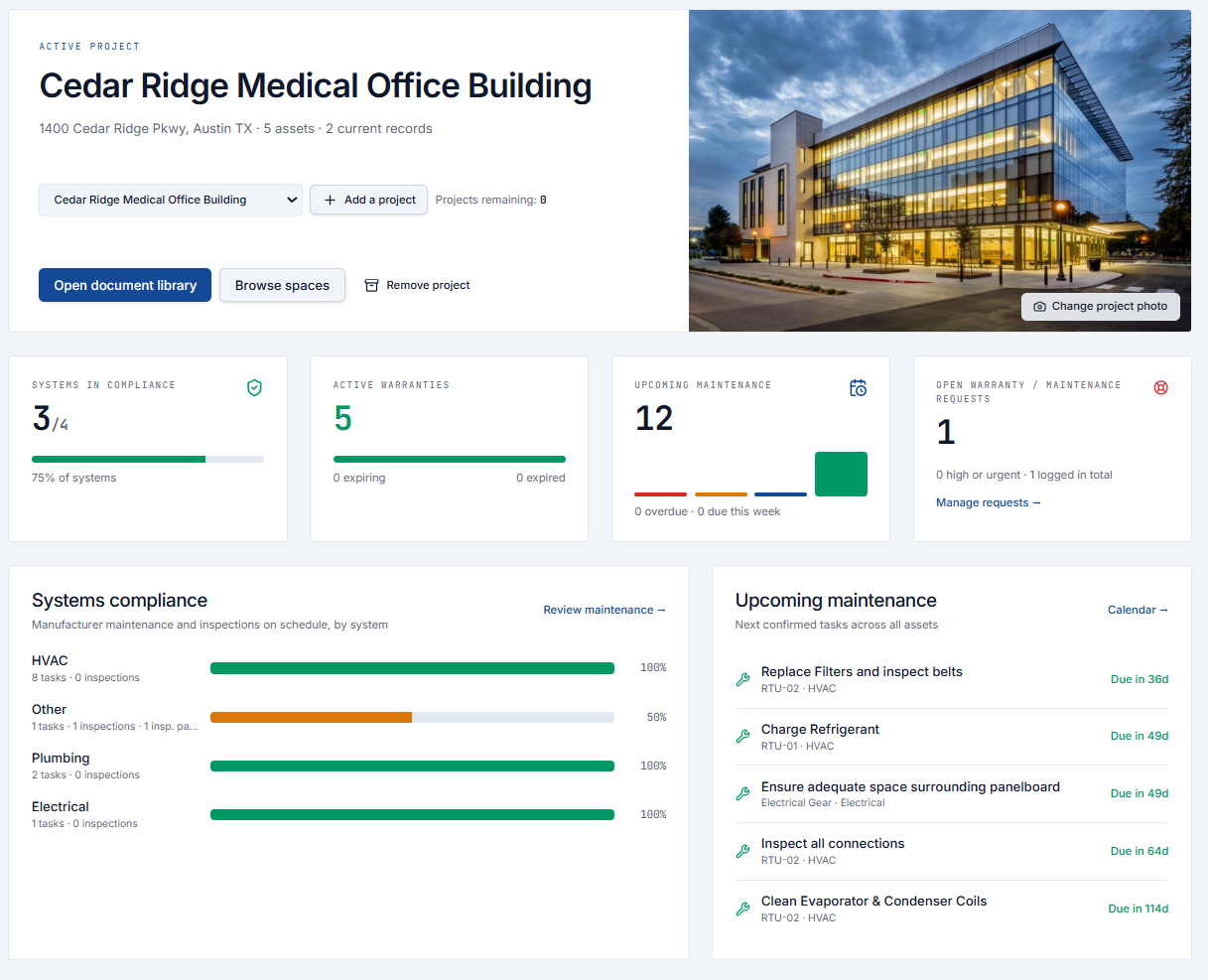
What's included
The details, connected.
A document is more useful when it belongs to an equipment record. A maintenance schedule is more useful when the manual and warranty are right beside it.
Buildings, spaces & equipment
Organize each project by building and room. Link equipment tags, manufacturers, models and serial numbers to the places they serve.
A version-controlled record
Keep submittals, as-builts, O&M manuals and warranties together. New revisions replace the current record without losing access to earlier versions.
Rough-in photo records
Capture what is behind the walls before it is covered. Associate photos with spaces and equipment, with automatic optimization for large images.
Warranty coverage
Connect coverage dates and claim contacts to equipment records. See active, expiring and expired warranties alongside warranty requests.
Recurring maintenance
Set manufacturer maintenance frequencies and first due dates. Recurring tasks appear on the calendar, with suggested tasks reviewed before approval.
Inspections & capital planning
Record inspection results, due dates and reports. Plan repair and replacement items with target dates and budgets for the building's next chapter.
How Frame works
Built once. Useful for years.
- 01
Set up the project
Create the project record, organize buildings and spaces, register equipment and assign the team its project access.
- 02
Capture as you build
Construction teams upload documents and rough-in photos throughout the job, connecting each record to the right space or equipment.
- 03
Review & hand over
Review documentation and suggested maintenance, check closeout completeness and generate a PDF Handover Summary for the owner.
- 04
Keep the building running
Facility teams find the records they need, follow recurring schedules, record inspections and track warranty or maintenance requests.
From the system
See what needs attention.
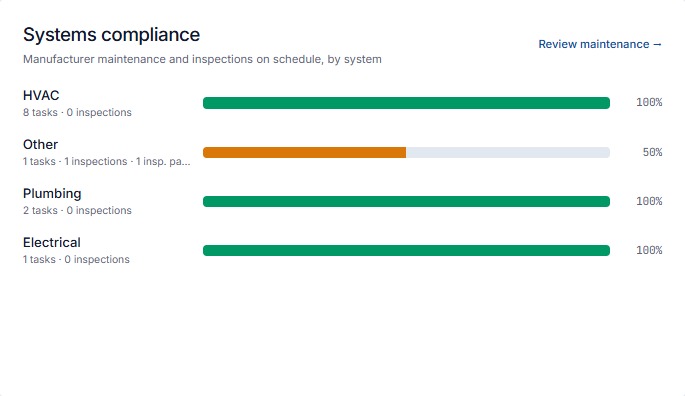
Operational compliance, by system
See whether scheduled maintenance and equipment-linked inspections are current. Overdue work and failed inspections affect the score; systems without tracked requirements are not scored.
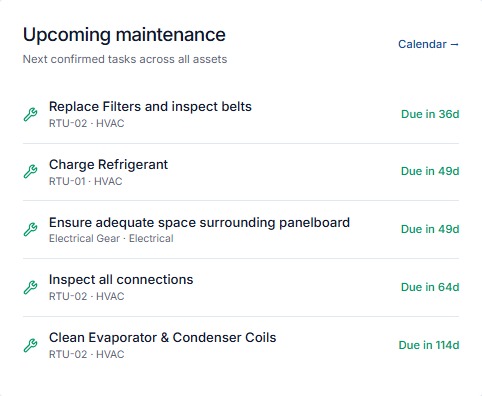
The next task, with its equipment
Review upcoming confirmed maintenance and its due dates at a glance. The calendar brings recurring maintenance, inspections and capital milestones together.
People & access
The right record, for the right team.
GC administrators manage project details and access. Construction contributors capture closeout records, and owner/FM teams receive project-specific access. Read-only viewers can view and download records without changing them.
Handover & portability
Your information stays useful.
Create a PDF Handover Summary and export project records as CSV or a COBie workbook. A keyed, read-only API makes project data available for other tools without giving them editing access.
Make the handover the beginning.
Bring construction records and facility operations into Frame.